AI QR code generators vs QRPetal
An AI QR code generator paints a brand-new picture with the code hidden inside. QRPetal does something different: it keeps your photo and adds only the marks a phone needs. Both make artistic QR codes. Here is how to pick.
| Question | AI QR code generators | QRPetal |
|---|---|---|
| Where the picture comes from | An AI model paints a new picture from your prompt or image | Your own photo, kept as it is |
| Faces, logos and products | Can change shape or detail; text often comes out garbled | Stay exactly as in your photo |
| Does it scan? | Varies a lot; you may need to make several and test each one | Checked by two QR readers before you download, with an honest score |
| Same result every time | No; the same prompt gives a different picture each time | Yes; the same photo and settings give the same code |
| Speed | Often tens of seconds per image, sometimes in a queue | A few seconds |
| Best for | Dreamy, invented art where a new picture is fine | Printed codes that must look like your real brand and must scan |
How AI QR code generators work
Most AI QR tools use an image model (often Stable Diffusion with a "ControlNet" add-on). You type a prompt, like "a mountain village at sunset". The model paints a picture and bends it so the light and dark areas follow the QR pattern.
The good part: the results can be stunning. The code can disappear into the art. For posters, album covers and one-off art pieces, that is great.
Where AI QR codes fall short
- It is not your photo. Your café, your product or your wedding couple becomes the AI's idea of them.
- Scanning is hit and miss. Painted cells are soft. Some codes scan at once, some never do. You must test each one.
- Every try is different. You cannot easily make a matching set for a menu, a card and a sign.
- Text and logos break. AI models are poor at exact letters and brand marks.
How QRPetal is different

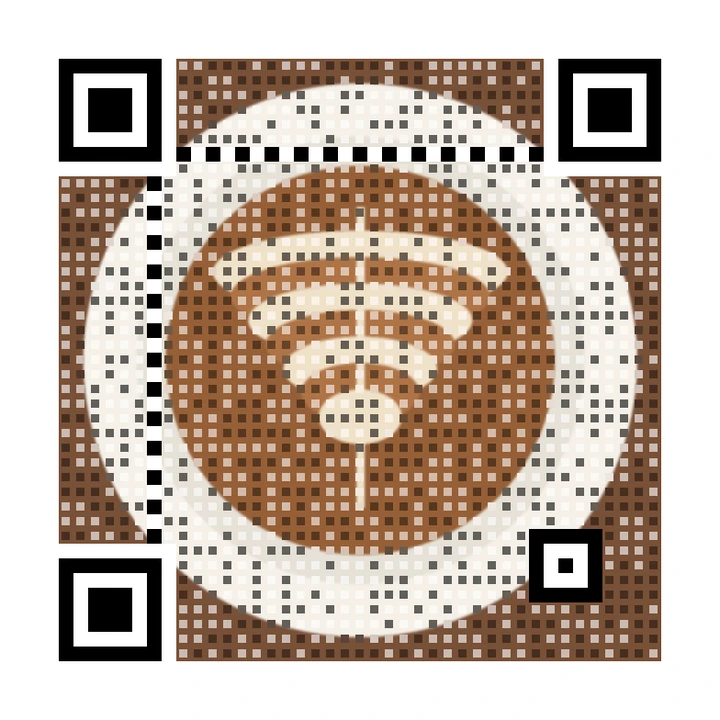
QRPetal starts with a normal QR code. It lays your photo underneath. Where the photo already has the right light or dark, it leaves it alone. Where it does not, it adds a small mark. Then two different QR readers check the result. You see an honest score: "Scans great", "Scans OK" or "Might not scan".
Where we are weaker, honestly: we do not invent art. A flat, grey photo gives a plainer result than an AI painting might.
Which should you use?
- You want your real photo, logo or product in the code: QRPetal.
- You are printing it on menus, cards, signs or packaging: QRPetal, because every code is checked before you print.
- You want a dreamy art piece and will test it carefully: an AI QR code generator.
- You like both: make an AI image elsewhere, then upload it to QRPetal as your photo.
Also see dynamic QR code tools vs QRPetal and thefull comparison.
Questions
Is QRPetal an AI QR code generator?
No. QRPetal does not invent a picture. It keeps your real photo and draws only the small black and white marks a QR reader needs on top. See how it works.
Why do some AI QR codes not scan?
The AI paints the pattern as part of a picture, so the black and white cells are often soft, blended or the wrong shade. Phones need clear contrast. Some images work, some do not, and you only find out by testing.
Can I use an AI image as the photo in QRPetal?
Yes. Any picture works: a photo, a drawing or an AI image you made somewhere else. QRPetal then adds the QR marks and checks the result with two readers.
Try it with your real photo
Free, no sign-up needed for your first codes. Every code is checked before you download it.